
Electronic gadgets—from smartphones and laptops to tablets, earbuds, and wearables—represent significant investments. With proper care, many modern devices can remain useful for five to seven years or longer. Neglect, however, accelerates wear through heat, dust, battery degradation, and physical damage. Simple, consistent habits make a measurable difference in performance and longevity.
This guide covers practical maintenance strategies grounded in proven best practices for everyday electronics.
Keep Devices Clean to Prevent Buildup and Overheating
Dust, oils, and debris are among the most common threats to electronics. Accumulated dust blocks vents, reduces airflow, and causes internal components to run hotter. Skin oils and sweat leave residues that can corrode ports or degrade screens over time.
Power devices off and unplug them before cleaning. For exterior surfaces and screens, use a soft microfiber cloth. A lightly dampened cloth with distilled water or a small amount of 70 percent isopropyl alcohol works well for stubborn grime; avoid pouring liquid directly onto the device. Never use household cleaners containing ammonia, bleach, or abrasives, as these can damage protective coatings.
For vents, keyboards, and ports, use short bursts of compressed air held several inches away. A soft brush or dry cotton swab can clear lint from charging ports. Establish a routine: wipe high-touch surfaces weekly and address vents and internals monthly or as needed. Devices used during exercise benefit from immediate wipe-downs to remove sweat.
Manage Heat to Protect Internal Components
Heat is a primary factor in shortening electronic lifespan. Elevated temperatures accelerate battery degradation, dry out thermal materials, stress processors, and can lead to throttling or sudden shutdowns. Overheating has been linked to reductions in device life of 20 to 30 percent in some cases.
Never leave gadgets in direct sunlight, hot cars, or near heat sources. Allow cold devices to reach room temperature before powering them on. For laptops, always place them on hard, flat surfaces that allow unrestricted airflow through vents. Soft surfaces such as beds or cushions block ventilation and trap heat. Cooling pads or stands improve airflow during intensive tasks. Remove thick cases during prolonged charging or heavy use if the device becomes warm.
Keep ambient conditions reasonable. Ideal operating ranges for many lithium-ion batteries fall around room temperature, with sustained exposure above roughly 35°C increasing risk.
Practice Smart Battery Care
Lithium-ion batteries, used in nearly all modern portable electronics, degrade with use and time. Their capacity declines faster under certain conditions. The most effective habit is avoiding extremes: prolonged periods at 100 percent charge or repeated deep discharges to zero percent place extra stress on the cells.
Aim to keep charge levels between 20 and 80 percent for daily use whenever practical. Enable built-in features such as optimized or adaptive charging, which many devices offer; these systems learn usage patterns and limit time spent at full charge. Use only manufacturer-approved or certified chargers and cables to ensure stable power delivery and reduce heat generation. Fast charging is convenient but generates more heat; reserve it for when speed is necessary.
If storing a device for weeks or months, charge it to roughly 40–60 percent, power it off completely, and keep it in a cool, dry place. Periodically check and top up if needed. Avoid charging damp or wet devices, as moisture near ports can cause damage.
Stay Current with Software and System Maintenance
Operating system and application updates deliver more than new features. They include security patches, bug fixes, performance improvements, and battery optimizations that help devices run more efficiently and safely. Outdated software can expose systems to malware and increase resource demands that generate unnecessary heat.
Enable automatic updates where possible, or check regularly. Clear temporary files, caches, and unused applications to free storage and reduce background activity. Keeping 20–25 percent of storage free supports better performance on solid-state drives. Limit unnecessary background processes to ease processor load and lower temperatures.
Protect Against Physical Damage and Environmental Stress
Physical impacts remain a leading cause of early failure. Quality cases and tempered glass screen protectors absorb shocks and prevent scratches. Laptop sleeves offer similar protection during transport. Handle devices carefully and avoid pressure on corners or hinges, especially on foldable models.
Moisture and humidity promote corrosion and mold. Keep gadgets dry and store them away from damp environments. Silica gel packets in storage bags or cases help control humidity. For power protection, use surge protectors or uninterruptible power supplies where electrical fluctuations are a concern.
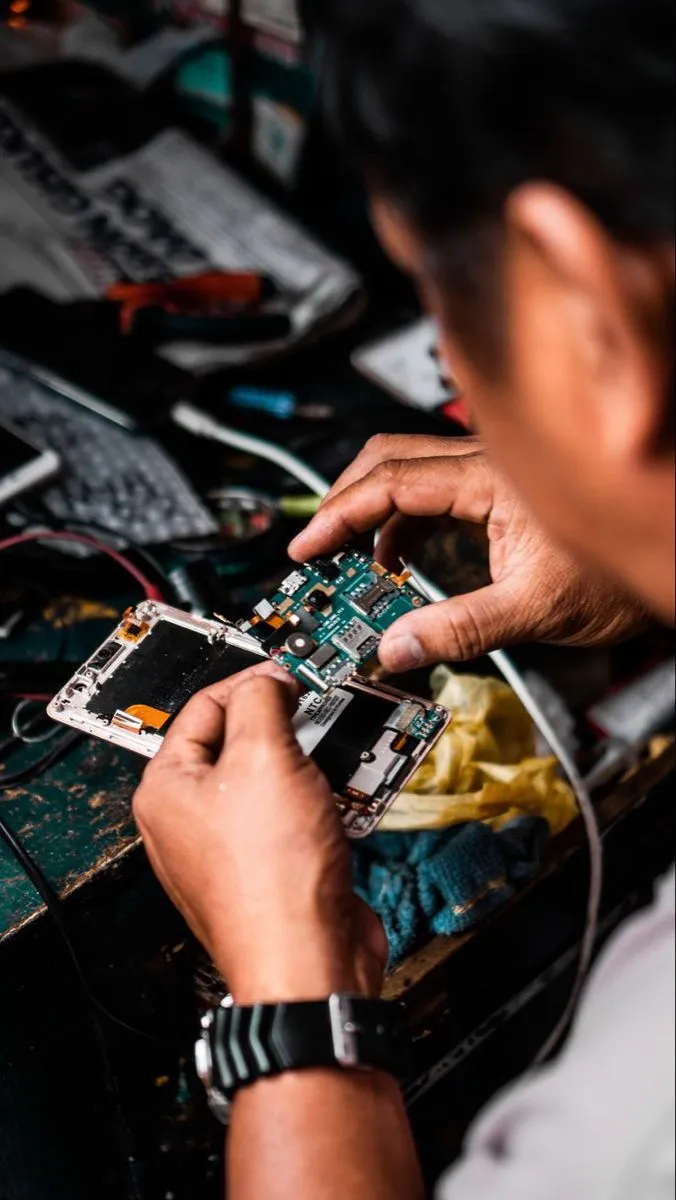
When devices show signs of wear—such as reduced battery life, persistent overheating, or cracked screens—address issues promptly. Battery replacements or professional internal cleaning can restore performance and extend useful life far more economically than full device replacement.
Establish Consistent Habits for Long-Term Results
Effective maintenance combines daily awareness with periodic routines. Wipe surfaces regularly, monitor temperatures during use, charge thoughtfully, keep software current, and provide physical protection. These practices reduce thermal stress, slow battery wear, prevent dust-related failures, and guard against accidental damage.
The cumulative effect is substantial: devices perform better for longer, retain higher resale value, and delay the need for costly upgrades. By treating electronics as durable tools rather than disposable items, users maximize both performance and value from the technology they already own. Consistent care turns good gadgets into long-lasting ones.
Read more – GadgetsMonk.com
